
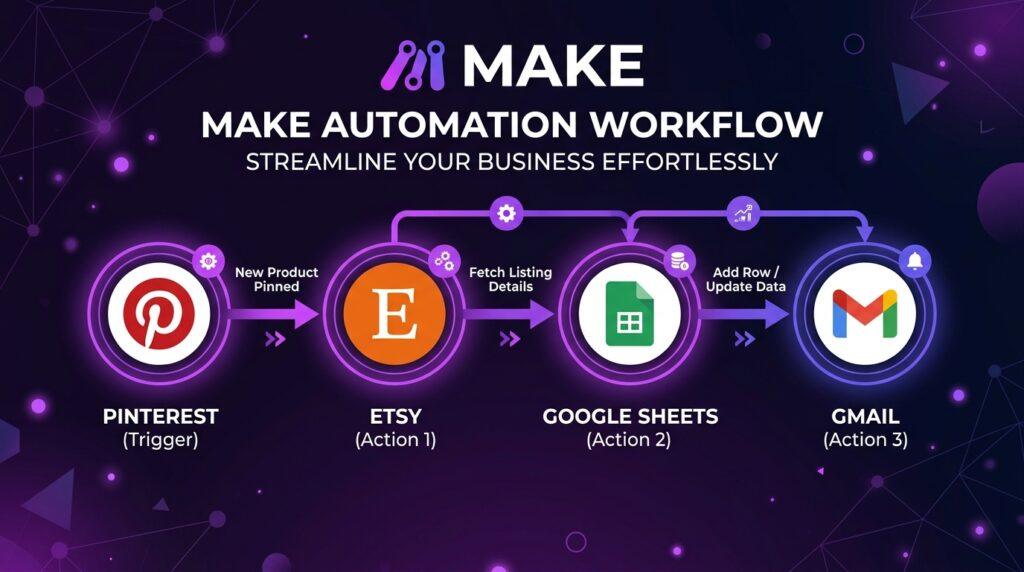
This Make review covers everything content creators need to know about the best automation tool for POD sellers, Cricut bloggers, and Pinterest marketers. Make lets you automate repetitive tasks — uploading pins, sending emails, updating spreadsheets — so you can focus on creating instead of clicking.
In this Make review, we’ll cover what it is, how it works, key features, real use cases for POD and Cricut creators, pricing, pros and cons, and whether it’s worth it for your workflow.
Disclosure: This post contains affiliate links. We may earn a small commission if you purchase through them — at no extra cost to you.
What Is Make?
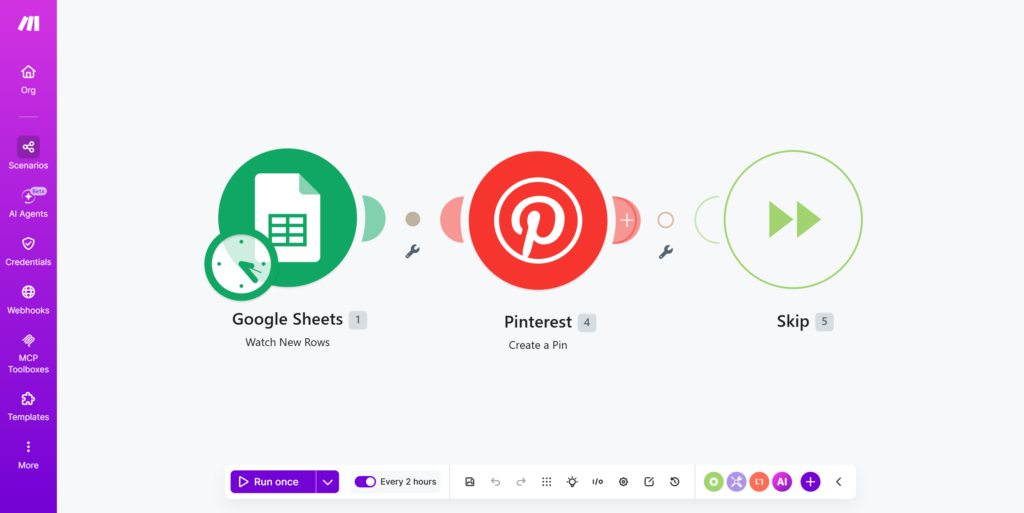
Make is a visual automation platform that connects your apps and services — no coding required. Think of it as a visual flowchart where you define triggers and actions: “When this happens in App A, do this in App B.”
It’s similar to Zapier, but more flexible for complex, multi-step workflows. Where Zapier is simple and linear, Make lets you build branching scenarios with filters, routers, and data transformations — and its pricing is usually significantly cheaper for the same volume of automation.
Why Content Creators Need Make
As a POD seller, Cricut creator, or design blogger, your time is split between creating and managing. Every hour spent on repetitive tasks — scheduling pins, updating product listings, sending follow-up emails — is an hour not spent making content that drives traffic and sales.
Make handles the repetitive work automatically. Set it up once, and it runs in the background while you focus on what actually grows your business.
Make Review: Key Features for Creators
01 — Visual Scenario Builder
Make’s drag-and-drop interface lets you build automation workflows visually. Each “scenario” is a flowchart of connected apps. You can see exactly how data flows from one step to the next — making it easy to troubleshoot and adjust without guessing what’s happening behind the scenes.
02 — 3,000+ App Integrations
Make connects with virtually every tool a content creator uses: Pinterest, Instagram, Google Sheets, Gmail, Etsy, Shopify, Canva, Notion, Airtable, WordPress, Mailchimp, and hundreds more. If there’s an app in your workflow, Make can almost certainly connect to it.
03 — Filters & Routers
Unlike basic automation tools, Make lets you add conditions to your workflows. Only send a notification if the sale is over $50. Only pin content from a specific board. Route different product types to different workflows. This level of control is what separates Make from simpler tools.
04 — Scheduling & Real-Time Triggers
Run scenarios on a schedule or trigger them instantly when something happens — a new order, a new email, a new spreadsheet row. For Pinterest creators, this means your pins can go out automatically on a consistent schedule without you lifting a finger.
05 — Data Transformation
Make can manipulate data as it moves between apps — format dates, extract text, combine fields, do calculations. This is especially useful for POD sellers who need to transform product data from one format to another between platforms.
Ready to automate your workflow?
Make — the visual automation platform built for creators
Try Make for Free →How to Use Make for POD & Cricut Creators
Here are the most valuable automation scenarios for content creators in the POD and Cricut space:
Pinterest Automation
- New blog post published → automatically create a Pinterest pin with the featured image
- New product added to Etsy → pin it to your Pinterest board automatically
- Google Sheets row added → schedule a new pin with custom title and description
POD Store Automation
- New Etsy order → add customer to Google Sheets + send thank you email
- New Printful order → notify you via email or Telegram instantly
- Low stock alert → send notification to reorder or restock
Content & Blog Automation
- New WordPress post → share to Instagram, Facebook, and Pinterest automatically
- New YouTube video → create a blog post draft in WordPress
- RSS feed update → send newsletter to your email list via Mailchimp
Make Review: Make vs Zapier Comparison
| Feature | Make | Zapier |
|---|---|---|
| Visual workflow builder | ✅ | ❌ Linear only |
| Free plan | ✅ 1,000 credits/mo | ✅ Limited |
| Filters & routers | ✅ Advanced | Limited |
| App integrations | 3,000+ | 7,000+ |
| Ease of use | Moderate | ✅ Easier |
| Pricing (paid, billed annually) | ✅ From ~$10/mo | From ~$20/mo |
| Best for | Complex workflows | Simple automations |
Pros and Cons
✅ Pros
- Generous free plan (1,000 credits/month)
- Visual drag-and-drop interface
- Usually cheaper than Zapier for the same volume
- Advanced filters and routers
- 3,000+ app integrations
- Runs 24/7 automatically
- Great for Pinterest & POD automation
❌ Cons
- Steeper learning curve than Zapier
- Some apps have limited functionality
- Can feel overwhelming at first
- Fewer integrations than Zapier (3,000+ vs 7,000+)
Make Pricing
Make’s free plan includes 1,000 credits per month — enough to get started and test your automations, though it’s limited to 2 active scenarios. Note that Make renamed its billing unit from “operations” to “credits” in 2025 — the free allowance itself hasn’t shrunk, just the name.
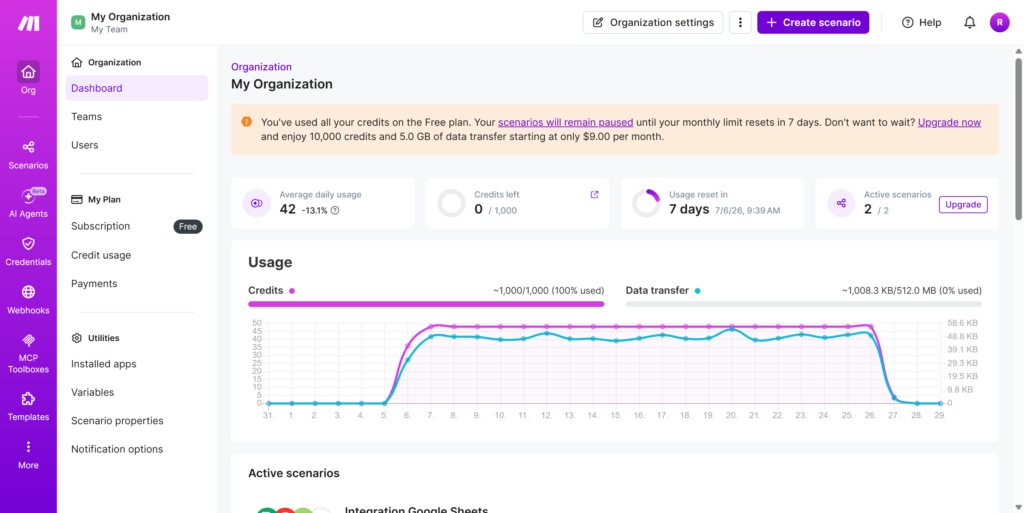
Paid plans start at the Core tier, which unlocks 10,000 credits per month and unlimited active scenarios, for roughly $10-12/month when billed annually — still notably cheaper than Zapier’s comparable starter plan, which runs closer to $20/month. Pricing on both platforms changes periodically, so check the official Make pricing page for the current numbers before committing.
For most POD creators and bloggers just starting with automation, the free plan is enough to test 1-2 simple scenarios before deciding whether to upgrade.
Who Should Use Make: Our Review
If you’re spending more than 30 minutes a week on repetitive tasks — posting to social media, updating spreadsheets, sending emails — Make will save you time and likely money compared to Zapier. The free plan makes it risk-free to try.
Final Make Review Verdict
Make is one of the most capable automation tools available for content creators, and the price-to-value ratio is hard to beat for multi-step workflows. The visual workflow builder makes it easier to understand than traditional automation tools, even if there’s a slight learning curve at the start.
For POD sellers, Cricut creators, and bloggers who want to scale their content output without scaling their workload, Make is a strong addition to your toolkit. Start with the free plan, build one Pinterest automation, and you’ll quickly see how much time it saves.
Start automating your workflow today
Free plan available · No coding required · 3,000+ app integrations
Try Make for Free →
FAQ
Is Make free to use?
Yes. Make offers a free plan with 1,000 credits per month — enough to run several automations and test your workflows before committing to a paid plan.
Is Make better than Zapier?
For complex workflows and creators on a budget, yes. Make is more flexible and usually cheaper per operation. Zapier is easier to use for simple one-step automations and offers more total integrations, but Make wins on flexibility and price for multi-step scenarios.
Can I use Make for Pinterest automation?
Yes. Make integrates with Pinterest and can automatically create pins from new blog posts, Etsy listings, or Google Sheets data — saving hours of manual pinning every week.
Does Make work with Etsy?
Yes. Make integrates with Etsy and can automate order notifications, customer emails, inventory tracking, and more for your POD or handmade shop.
How difficult is Make to learn?
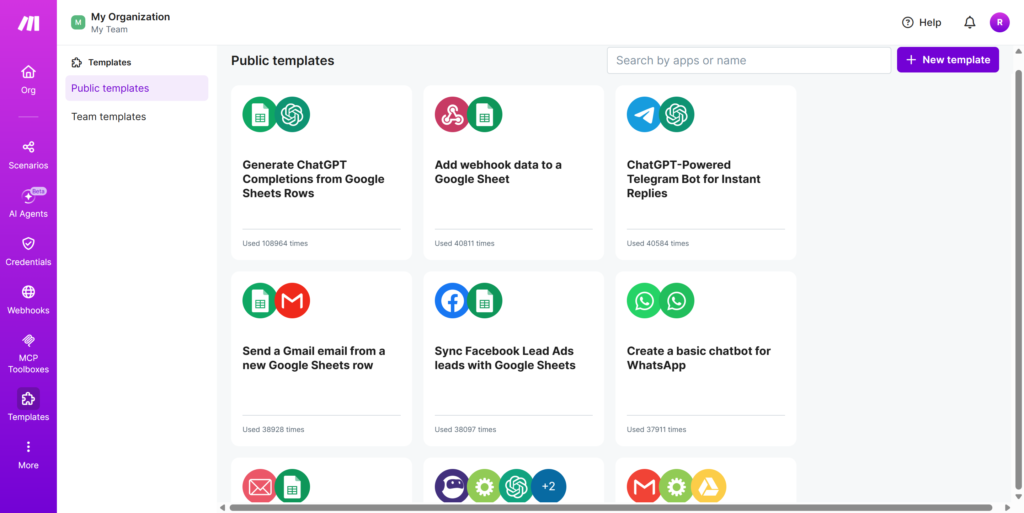
Make has a moderate learning curve — steeper than Zapier but manageable. The visual interface helps a lot, and there are hundreds of pre-built scenario templates you can start with and customize.