
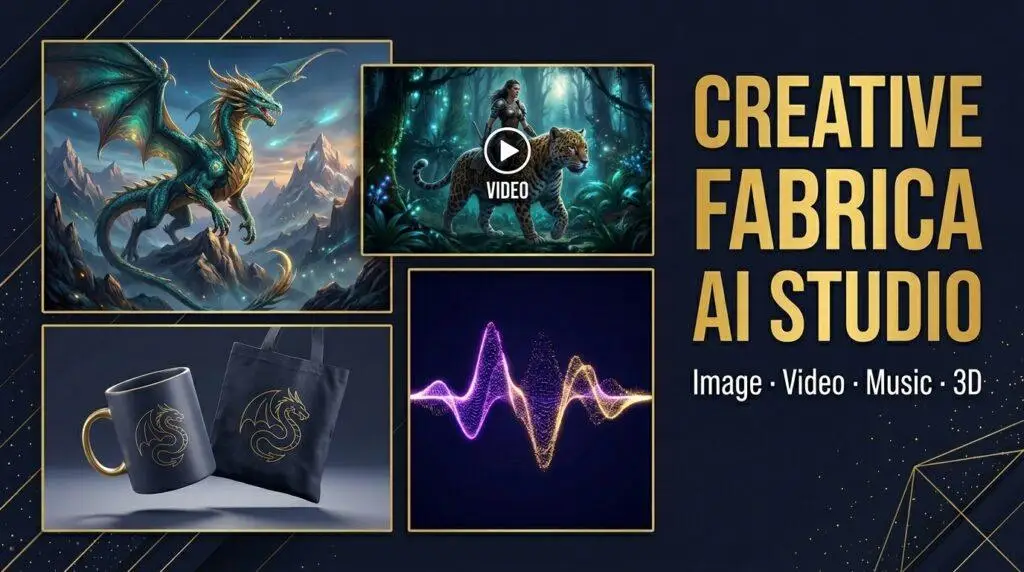
Creative Fabrica started as a marketplace for fonts and SVG files. However, it has evolved into a full AI creative platform with image generation, video creation, music, 3D tools, and real earning potential. Consequently, this review covers what CF AI Studio includes, how the coin system works, and whether it’s worth it for POD sellers and Cricut creators.
Some links in this post are affiliate links. We may earn a commission if you sign up or purchase — at no extra cost to you.
✅ Best For
- ✓ POD sellers needing design ideas
- ✓ Cricut creators generating SVG-style art
- ✓ Pinterest video marketers
- ✓ Bloggers already using CF fonts/SVGs
- ✓ Etsy shop owners building a brand
❌ Not Ideal For
- ✗ Professional photo editing
- ✗ Long-form video production
- ✗ Heavy commercial video use
- ✗ Those needing unlimited generations

CF AI Studio is Creative Fabrica’s AI generation platform — separate from (but connected to) their main font and SVG marketplace. It lives at studio.creativefabrica.com and gives you access to tools for generating images, videos, music, logos, and even 3D models. For example, it is powered by top-tier AI models like GPT Image 2, Kling, Luma Ray, and Elevenlabs.
Furthermore, the platform uses a coin-based system. You spend coins to generate content, and different AI models cost different amounts. Fortunately, you get free coins just for signing up, and there are multiple ways to earn more.
Creative Fabrica AI Studio Tools: What’s Included
🎨 Image Editor (AI Image Generator)
Generate images from text prompts using models like Kling V3, GPT Image 2, and SeeDance 2.0. Outputs up to 2048×2048px (4K with premium models). Includes Edit and Upscale buttons on every result. Best for POD design ideas, Cricut-style line art, and sublimation patterns.
🎬 Video Generator
Create AI videos from text prompts using models including Luma Ray 2, Kling 3.0, Happy Horse 1.1, Runway Gen 4.5, Pika 2.1, and more. Outputs in 9:16 vertical format (perfect for Pinterest pins and Reels), up to 4K resolution. Each video runs 5–9 seconds.
🎵 Music Generator (Lyria 3 / Elevenlabs)
Generate background music from text descriptions — mood, instruments, length. Models include Lyria 3 and Elevenlabs. Output is a downloadable audio track. Perfect for adding music to Pinterest video pins or YouTube Shorts without copyright issues.
🪄 Logo Generator
Generate professional logos from text prompts. Useful for Etsy shop branding, POD brand identity, and digital product covers. Costs 3,700 coins per generation — one of the pricier tools, but the results are production-ready.
🍌 NanoBanana 2
Transform any image into a high-fidelity AI-enhanced version. Useful for upscaling or stylizing existing designs before using them in POD or Cricut projects.
🖨️ 3D Print Generator & 3D Model Generator
Convert text prompts into 3D geometries optimized for 3D printing, or generate 3D models from reference images. Export to STL — free of rights to use in any tool.
Real Results: What I Generated with CF AI Studio
Image Generator — 3 Use Cases for POD & Cricut
I tested three prompts specifically chosen for POD and Cricut creators:
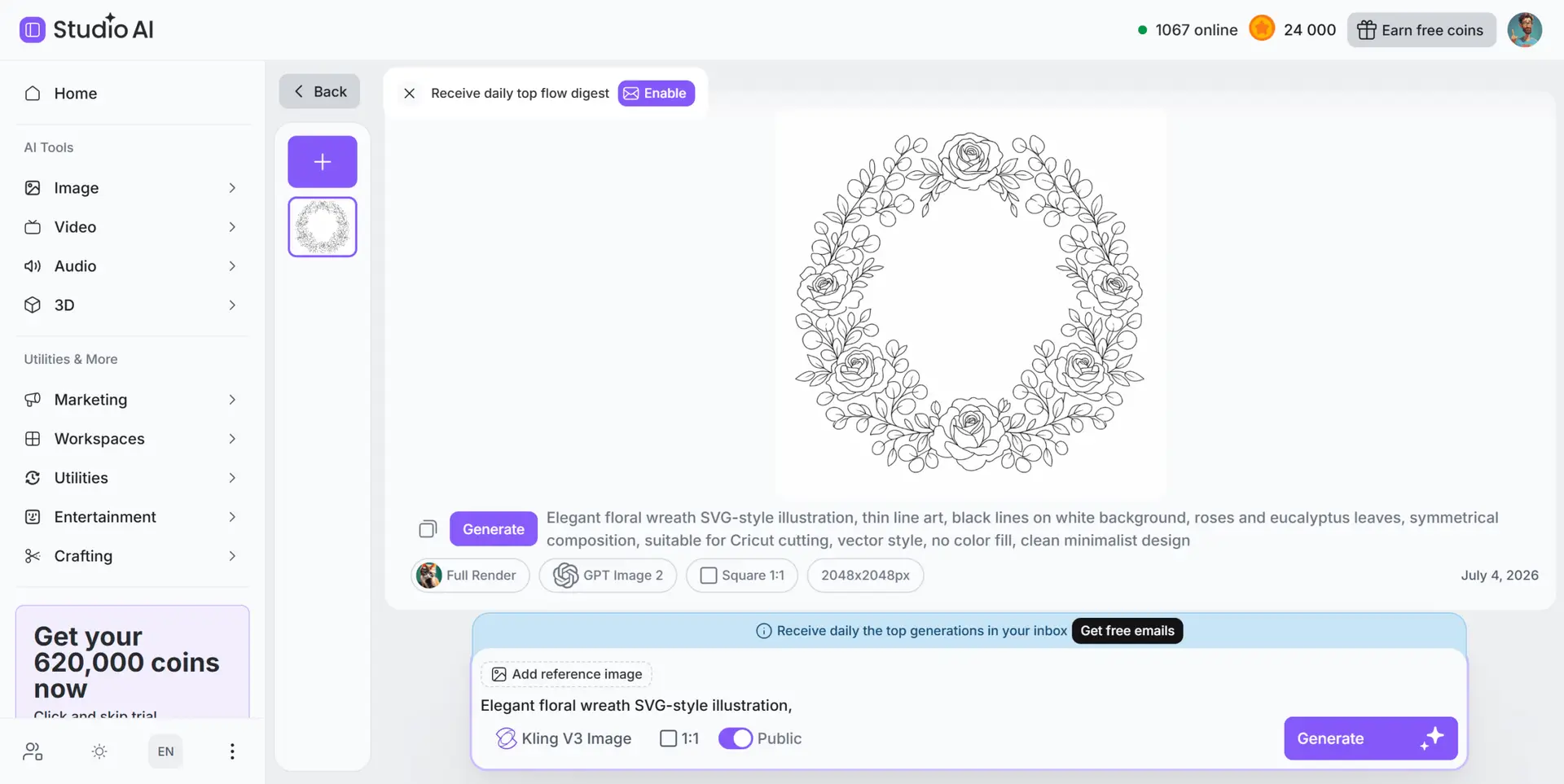
- Floral wreath SVG-style (Kling V3, 490 coins): Clean thin-line circular wreath with roses and eucalyptus — close to what you’d expect from a Cricut cut file. Not a true vector, but clean enough to trace in Inkscape or Illustrator.
- Vintage botanical for t-shirt (Kling V3, 490 coins): Black ink wildflower bundle on white background, cottagecore aesthetic — exactly the style that sells on Etsy POD.
- Seamless sublimation pattern (Kling V3, 490 coins): Watercolor wildflowers and butterflies in pink and sage green — usable for mug and tote bag sublimation directly.
Video Generator — Pinterest & Etsy Use Cases
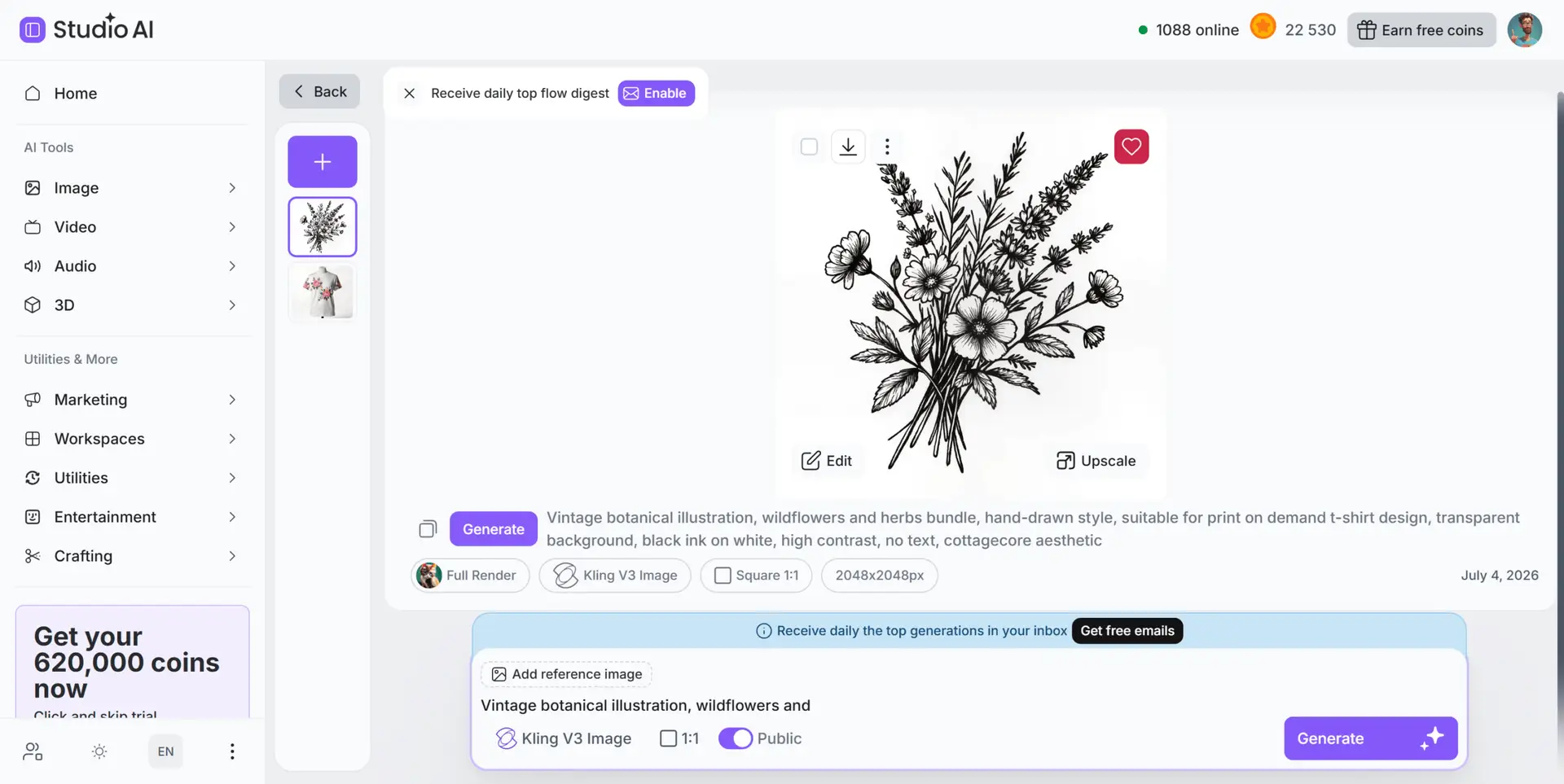
In addition, I generated two videos using Happy Horse 1.1 (9,980 coins each, 9 seconds, 9:16 format):
- Floral wreath blooming animation: Soft pink and white roses slowly opening on a white background — exactly the kind of calming, aesthetic video that performs on Pinterest.
- Animated t-shirt mockup: White t-shirt with floral print slowly rotating — usable directly as an Etsy listing video or Pinterest product pin.
Music Generator — Background Track in 10 Seconds
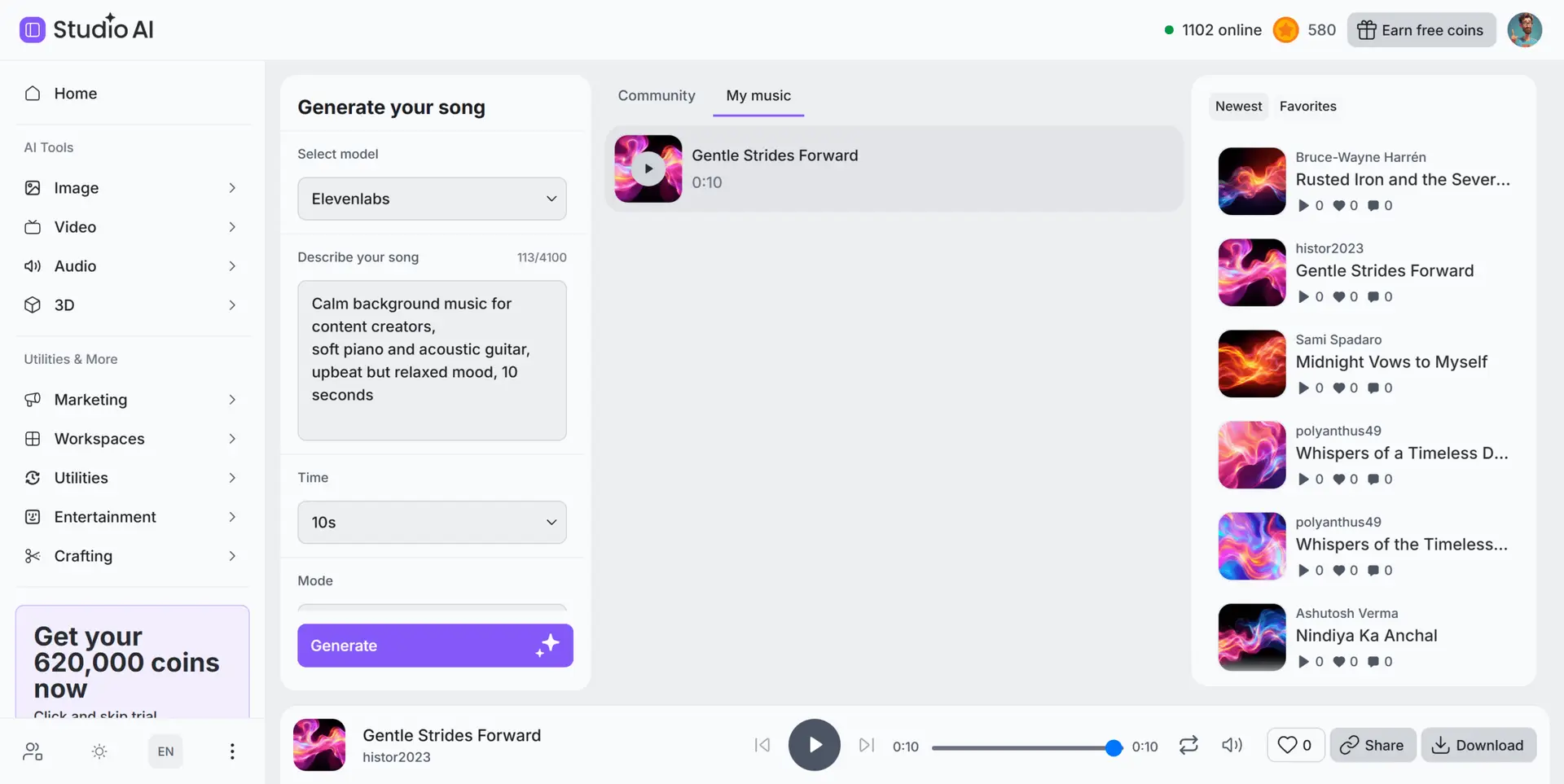
Using the Elevenlabs model, I generated “Gentle Strides Forward” — a 10-second calm background track with soft piano and acoustic guitar. Prompt: “Calm background music for content creators, soft piano and acoustic guitar, upbeat but relaxed mood, 10 seconds.” As a result, for 1,500 coins I got a clean, usable background track for Pinterest video pins or YouTube Shorts.
The Coin System: Real Pricing Breakdown
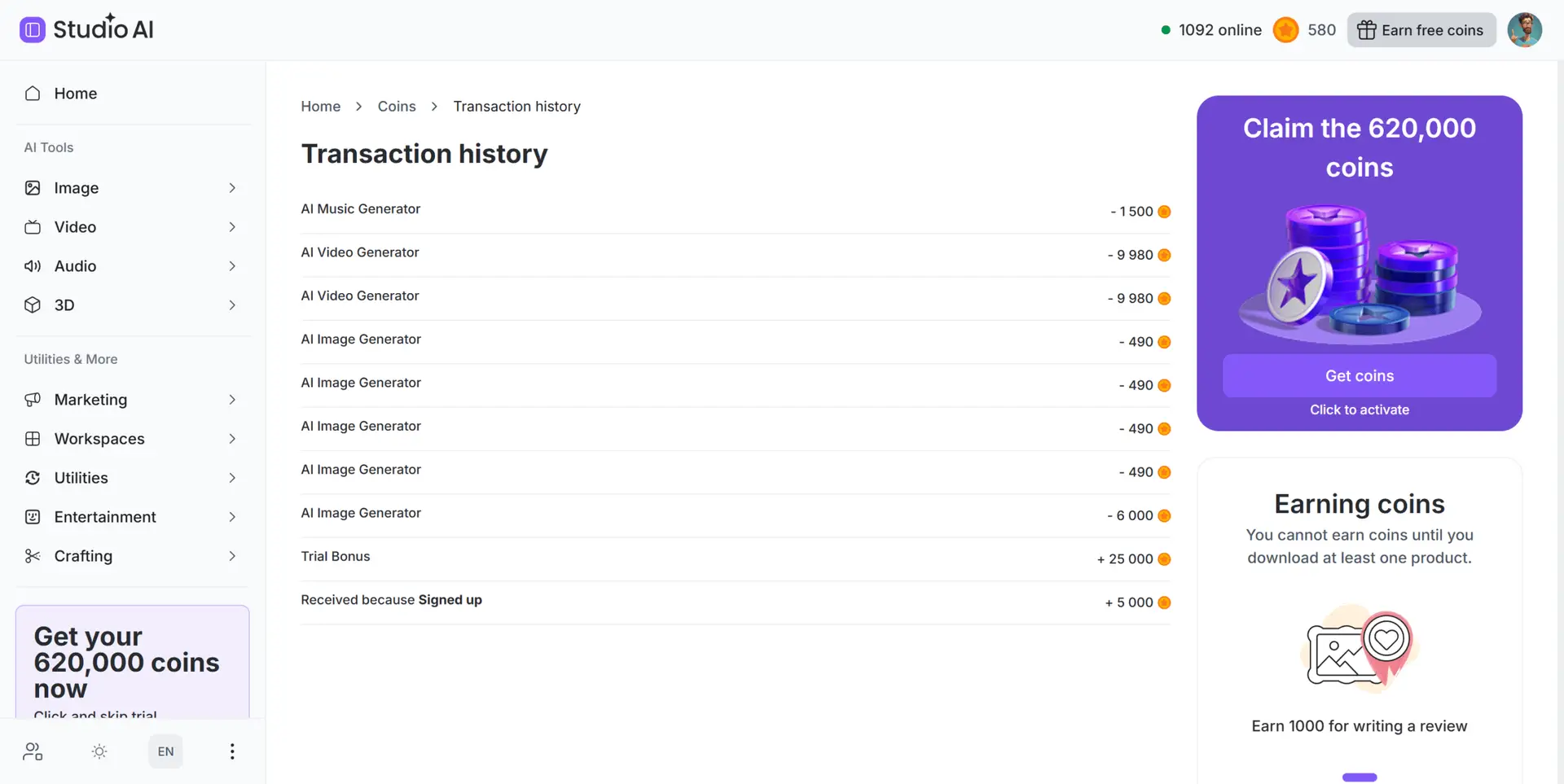
CF AI Studio uses a coin-based system where different AI models cost different amounts per generation. For instance, here’s what I actually paid during testing:
| Tool / Model | Coins per generation | Cost at $49.99/mo |
|---|---|---|
| Image — Kling V3 | 490 coins | ~$0.035 |
| Image — GPT Image 2 | 6,000 coins | ~$0.43 |
| Video — Happy Horse 1.1 | 9,980 coins | ~$0.71 |
| Music — Elevenlabs (10s) | 1,500 coins | ~$0.11 |
| Logo Generator | 3,700 coins | ~$0.26 |
How to Get Coins
- Free on signup: 5,000 coins (confirmed account) + 25,000 Trial Bonus (card linked) = 30,000 coins free
- Skip trial — one-time: $59.88 → 620,000 coins instantly
- Monthly subscription: $49.99/month → 700,000 coins/month (cancel anytime)
- Referrals: 100,000 coins when a friend subscribes — they also get 100,000 bonus coins
- Writing a review: 1,000 coins
How to Earn Money with CF AI Studio
This is what makes CF AI Studio genuinely interesting for content creators. Specifically, it offers three active monetization programs:
📱 YouTube Shorts Program
Create a 30-second Short using CF AI Studio’s video generator, post it publicly on YouTube, and earn $1.50 per 1,000 verified views. Up to $1,000 per Short, $2,500 per account. $100,000 total reward pool. Free to join — no subscription needed.
📸 Instagram Reels Contest
Create a 30-second Reel using CF AI video generator and post it publicly on Instagram. $5,000 for the most views + $2,000 jury prize for the best creation regardless of views. Free to enter.
✍️ Blog Program
Write an 800+ word article about CF AI Studio on your own blog, include at least 2 referral links, and earn up to $400 per article based on domain authority + 20% commission on every paid subscriber you refer (90-day window).
Requires: Domain Authority 30+, spam score below 10, your own blog (no social platforms)
Is CF AI Studio Worth It for POD & Cricut Creators?
If you’re already using Creative Fabrica for fonts and SVG files, adding AI Studio to your workflow is a natural next step. For example, the Image Generator alone can generate dozens of POD design ideas in an afternoon — patterns for sublimation, line art concepts for Cricut, or botanical illustrations for Etsy listings.
Additionally, the video tools add real value for Pinterest marketing. A 9-second animated product video costs less than $1 to generate and can drive meaningful pin impressions compared to static images.
Pros & Cons
✅ Pros
- 30,000 free coins on signup — test everything first
- Multiple top-tier AI models in one place
- Image, Video, Music, Logo, 3D — all covered
- Real earning programs (YouTube, Instagram, Blog)
- Referral system gives free coins
- 9:16 vertical video perfect for Pinterest/Shorts
- GPT Image 2 quality excellent for detailed work
- Connects naturally with CF fonts/SVG catalog
❌ Cons
- Video generation expensive (9,980 coins each)
- Logo Generator costs 3,700 coins
- Blog Program requires DA 30+
- YouTube/Instagram programs geo-restricted
- Image output is raster, not true SVG vector
- Monthly subscription ($49.99) adds up at low usage
Final Verdict
Creative Fabrica AI Studio has quietly become one of the more complete AI creative platforms available. The coin system is transparent, the free starting allowance is genuinely usable, and the earning programs add an angle that most tools don’t offer at all.
For POD sellers and Cricut creators, it’s definitely worth exploring. Start with the free coins, test the Image Generator, and see whether the output fits your workflow before committing to a subscription.
Try Creative Fabrica AI Studio Free
30,000 free coins on signup · Image, Video, Music & More · No subscription needed to start
Start with Free Coins →
FAQ
Is Creative Fabrica AI Studio free to use?
Yes — you get 30,000 free coins just for signing up (5,000 for a confirmed account + 25,000 Trial Bonus for linking a card). That’s enough for roughly 60 Kling V3 images or 3 AI videos without spending anything.
How does the coin system work?
Different AI models cost different amounts of coins per generation. Kling V3 images cost 490 coins (~$0.035 each), while GPT Image 2 costs 6,000 coins for higher quality output. Videos cost around 9,980 coins each. You can skip the trial for $59.88 (620,000 coins) or subscribe for $49.99/month for 700,000 coins.
Can I use CF AI Studio images for commercial products?
Check the current Creative Fabrica terms for AI-generated content — commercial usage rights depend on your subscription tier and the specific tool used. Always verify before using generated images in products you sell.
Is CF AI Studio the same as the Creative Fabrica font/SVG marketplace?
No — they’re two separate products on the same platform. CF AI Studio (studio.creativefabrica.com) is for AI generation. The main marketplace (creativefabrica.com) is for downloading fonts, SVG files, and graphics. They share an account but have different pricing structures.
Can I really earn money with CF AI Studio?
Yes — three real programs exist: YouTube Shorts ($1.50 per 1,000 views, up to $1,000/Short), Instagram Reels contest (up to $7,000), and Blog Program (up to $400/article for blogs with Domain Authority 30+, plus 20% referral commission). All free to join.
What’s the difference between Kling V3 and GPT Image 2?
Both generate images from text prompts, but at very different price points and quality levels. Kling V3 costs 490 coins and is great for patterns, concepts, and sublimation designs. GPT Image 2 costs 6,000 coins but produces noticeably cleaner, more detailed results — better for precise line art intended for Cricut or detailed POD work.